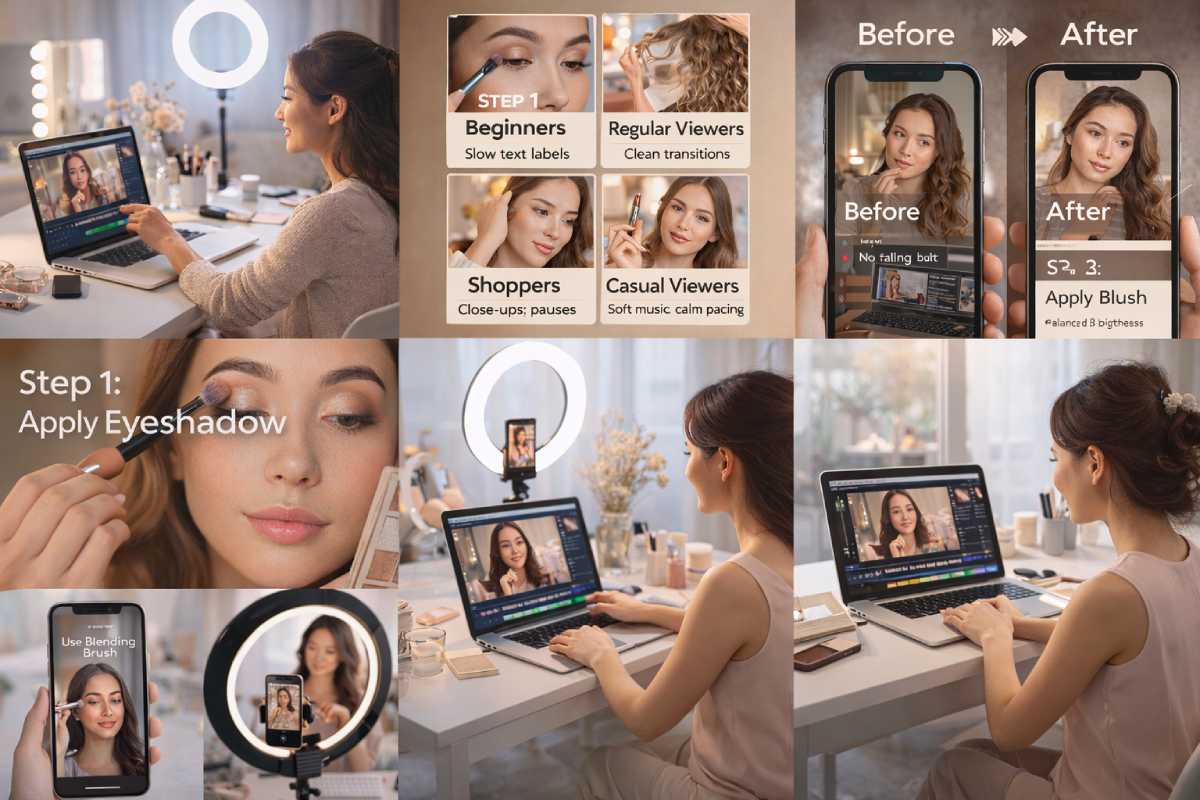
Creating beauty tutorials is not only about holding a camera and recording your routine. Anyone can record a video. But what really makes people stay, watch till the end, and come back again is how the video feels. That feeling comes from editing.
Good editing does not mean heavy effects or complicated software. It means making your video easy to watch, clear to understand, and comfortable for the eyes.
As someone who regularly watches beauty videos, I can say this honestly — a simple, well-edited video always feels more professional than a long unedited one. Even if the creator is new.
Why Editing Matters in Beauty Videos
When viewers click on a beauty tutorial, they expect clarity.
They want to see things clearly and understand each step without confusion.
Most viewers look for:
-
Products shown properly
-
Steps explained clearly
-
Smooth video flow
-
No unnecessary pauses
Editing helps remove awkward silence, long pauses, mistakes, and distractions. Even small cuts can make a big difference.
For example, when creators show nail polish brands in online stores, editing helps viewers see shades and finishes better. Without clear cuts or close-up shots, the video may feel boring or confusing.
How Viewers Actually Watch Beauty Tutorials
Not everyone watches beauty videos the same way. Over time, you can notice that viewers behave differently depending on why they clicked the video.
Some want to learn.
Some want ideas.
Some just want to relax.
Editing should match these moods.
Many viewers also watch calm, routine-based content such as a hair care routine for women, where smooth pacing and clean edits matter more than flashy effects.
Different Viewers and Their Expectations
| Viewer Type | What They Want | Editing That Helps |
|---|---|---|
| Beginners | Clear steps | Slow cuts, text labels |
| Regular viewers | Smooth flow | Clean transitions |
| Shoppers | Product clarity | Close-ups, pauses |
| Casual viewers | Relaxing feel | Soft music, calm pacing |
When editing matches viewer expectations, people naturally watch longer.
Using Text in Beauty Tutorials
Text is one of the easiest ways to improve a beauty video.
You do not need fancy fonts or animations. Simple text works best.
Text helps to:
-
Show product names
-
Explain steps
-
Highlight tips
Examples of useful text:
-
“Apply second coat”
-
“Wait 30 seconds”
-
“Use thin brush”
This works especially well in hairstyle tutorials, including cute black girl hairstyles or natural hair little black girl braided hairstyles, where each step matters.
Text supports your voice quietly without stealing attention.
This is especially helpful in step-by-step content like hairstyle ideas, where viewers need clear guidance without rewinding the video again and again.
Adding Graphics Without Overdoing It
Graphics should help viewers understand, not distract them.
Useful graphics include:
-
Light arrows
-
Soft highlights
-
Before-and-after frames
For example, when showing stylish Arabic mehndi design, simple arrows can point to patterns or finger details. Too many animations can confuse viewers.
A good rule to remember:
If graphics distract you, they will distract viewers too.
Effects: Less Is Always Better
Beauty content already looks attractive. Editing should only polish it.
Simple fades and clean cuts are enough.
Effects work best when:
-
Showing glow on skin
-
Highlighting eye makeup
-
Showing fabric flow, like in videos about flowy prom dresses
Heavy transitions or filters often make videos look fake.
The same editing principle applies to fashion videos, whether you are showcasing outfits or styling accessories like transparent heels for women, where clean visuals matter more than heavy effects.
Editing for Mobile Viewers
Today, most beauty tutorials are not watched on laptops or TVs. They are watched on phones — while scrolling, relaxing, or multitasking.
If a video looks good only on a big screen, many mobile viewers will skip it.
Most Beauty Videos Are Watched on Mobile
Based on general viewing behavior across platforms, a large portion of beauty content is consumed on smartphones.
Approximate Beauty Video Viewing Devices
|
Device Type
|
Estimated View %
|
|---|---|
|
Mobile phones
|
70–80%
|
|
Tablets
|
8–10%
|
|
Laptops/Desktop
|
10–15%
|
|
Smart TVs
|
2–5%
|
This is why editing for mobile viewers is no longer optional. It is necessary.
Text Size Matters More Than You Think
Small text looks fine on a laptop, but on a phone it becomes unreadable.
For mobile-friendly editing:
-
Use bigger text
-
Keep words short
-
Avoid thin fonts
-
Place text in the center or upper-middle area
If viewers need to pause or zoom just to read text, many will leave.
This is especially important in:
-
Product names
-
Step instructions
-
Shade or color labels
Vertical Framing Tips for Beauty Videos
Many beauty videos are now recorded or edited vertically because of reels and shorts.
Vertical framing works best when:
-
Face or hands stay centered
-
No important details touch screen edges
-
Extra space is left above and below the subject
Avoid cutting off:
-
Forehead
-
Fingers
-
Hairline
-
Jewelry details
Good framing helps viewers focus without strain.
Avoid Tiny Details That Get Lost on Small Screens
What looks detailed on a camera screen may disappear on a phone.
Avoid:
-
Very thin arrows
-
Small graphics
-
Tiny product labels
-
Fast zoom-ins on small areas
Instead:
-
Zoom slightly closer
-
Hold the shot for 1–2 seconds longer
-
Use simple highlights instead of fine lines
This is very important in nail art, mehndi, and eye makeup videos where details matter.
This becomes even more important in close-up videos like a hair oiling routine for hair growth, where hand movement and product texture need to stay clearly visible on small screens.
Mobile Viewer Comfort vs Editing Style
Mobile viewers prefer comfort over perfection.
What Mobile Viewers Like vs Dislike
Editing Element Works Well on Mobile Feels Difficult
Large clear text
Soft transitions
Slow close-ups
Tiny text
Fast cuts
Heavy effects
If editing feels calm and readable on a phone, viewers naturally watch longer.
Simple Rule for Mobile-Friendly Beauty Editing
A helpful rule many creators follow:
Before uploading:
-
Watch your video on your own phone
-
Check text size
-
Check brightness
-
Check detail visibility
This small habit improves viewer experience a lot.
Lighting vs Editing: What Matters More?
Simple Editing Habits That Improve Watch TimeMany beginners think editing alone can fix everything. But in beauty tutorials, lighting and editing work together. One cannot fully replace the other.
Good lighting makes editing easier. Good editing improves lighting — but only to a limit.
Natural Light vs Artificial Light
Natural light is still the best choice for beauty content.
Natural light works best when:
-
Shooting near a window
-
Recording during morning or early evening
-
Showing skin, makeup, or hair texture
It gives soft shadows and real colors, which is very important for beauty tutorials.
Artificial light is helpful when natural light is not available.
Artificial light works well when:
-
Recording at night
-
Shooting in small rooms
-
Maintaining the same lighting every day
Ring lights and soft box lights are commonly used by beauty creators because they are affordable and easy to manage.
How Editing Helps Fix Lighting Issues
Editing can improve lighting in small but useful ways.
Editing can help with:
-
Brightness adjustment
-
Color correction
-
Reducing yellow or blue tones
-
Making the video look more balanced
For example, if your room light is slightly dull, editing can brighten the video and make skin tones look fresher. This is especially useful in nail art, mehndi, and makeup tutorials.
Many creators rely on a video editor online for this because these tools offer simple sliders for light and color without technical complexity.
When Editing Cannot Fix Poor Lighting
This is important to understand.
Editing cannot fully fix:
-
Very dark videos
-
Harsh shadows on the face
-
Uneven lighting on hands or nails
-
Strong backlight behind the subject
If details are not visible during recording, editing cannot magically recover them. That is why basic lighting setup matters more than heavy editing.
A simple rule many creators follow:
Lighting + Editing: Best Balance for Beginners
You do not need expensive equipment.
Best low-cost setup:
-
Window light during daytime
-
Light-colored background
-
Basic editing for brightness and color
This setup works well for:
-
Beauty tutorials
-
Hairstyle videos
-
Jewellery styling
-
DIY beauty content
Where to Get Free or Affordable Editing Tools
Many beginners worry about cost, but there are good options.
Free or low-cost options include:
-
Online video editors (browser-based)
-
Mobile editing apps
-
Built-in phone editors
Online editors are popular because:
-
No software installation
-
Works on low-end systems
-
Simple controls
-
Faster workflow
For creators who post regularly, these tools are more than enough.
Personal Observation from Watching Beauty Content
From what I have noticed, viewers forgive simple editing, but they do not forgive poor lighting. A video with clean light and basic cuts always performs better than a heavily edited dark video.
Good lighting builds trust. Editing builds comfort. Together, they create videos people enjoy watching till the end.
Which Beauty Content Needs Editing the Most?
Not all beauty videos need the same editing effort.
Editing Importance by Content Type
| Content Type | Editing Level | Reason |
|---|---|---|
| Nail polish tutorials | High | Shade accuracy matters |
| Hairstyle videos | High | Steps must be clear |
| Mehndi designs | Medium | Pattern focus |
| Outfit styling | Medium | Movement and flow |
| Skincare routines | Low–Medium | Calm pace works |
Knowing this helps creators spend time where it matters.
Choosing the Right Editing Tool
You do not need expensive software to create good videos.
Many creators today prefer using a video editor online because:
-
Easy to use
-
No heavy system needed
-
Faster editing
-
Ready-made tools
Online editors are perfect for beginners who want quick results without learning complicated software.
Simple Editing Habits That Improve Watch Time
These small things make a big difference:
-
Stable camera
-
No long silence
-
No rushed cuts
-
Soft background music (optional)
Ideal Timing for Beauty Videos
| Video Part | Best Length |
|---|---|
| Intro | 5–8 seconds |
| Each step | 10–20 seconds |
| Product close-up | 3–5 seconds |
| Final look | 8–12 seconds |
This timing keeps videos comfortable to watch.
Country-Based Beauty Content Preferences (General Observation)
Beauty content trends differ by region. This is based on general observation from online platforms.
Beauty Content Popular by Region
| Region | Popular Content |
|---|---|
| India | Hair care, mehndi, DIY beauty |
| USA | Nail art, skincare |
| UK | Minimal makeup, styling |
| Middle East | Mehndi, fashion styling |
| Africa | Hairstyles, braids, hair care |
That is why hairstyle-focused videos perform well globally.
Best Editing Style for Fashion & Beauty Websites
For beauty and lifestyle platforms like YesFlair, editing should feel:
-
Soft
-
Relatable
-
Natural
Best practices include:
-
Natural lighting
-
Neutral colors
-
Calm pacing
-
Simple text
This style works well for jewellery, hairstyles, nail polish, fashion styling, and beauty routines.
What to Edit and What to Keep Natural
| Element | Edit Lightly | Keep Natural |
|---|---|---|
| Voice | ✔ | |
| Hand movements | ✔ | |
| Product shots | ✔ | |
| Expressions | ✔ | |
| Small mistakes | ✔ |
This balance keeps videos human and trustworthy.
Common Editing Mistakes to Avoid
Many creators make these mistakes:
-
Too much text
-
Too many effects
-
No consistent style
-
Fast cuts that hurt the eyes
Viewers prefer comfort over perfection.
Editing for Long-Term Growth
Views come and go. Trust stays.
When videos feel easy to watch, viewers:
-
Save them
-
Share them
-
Return again
This matters more than viral views.
Simple, consistent editing slowly builds identity.
Frequently Asked Questions
Does editing really matter for small creators?
Yes. Even basic editing improves clarity.
Can beauty videos be edited on mobile?
Yes. Many creators do this successfully.
Do viewers want perfect editing?
No. They want comfort and clarity.
Should every beauty video be edited?
Basic editing helps every video.
Final Thoughts
Editing is not about being perfect.
It is about being clear and comfortable.
A beauty tutorial should feel like a friendly guide, not an advertisement. When editing is done in a simple and thoughtful way, videos feel real — and real content always performs better.
When you focus on clarity, consistency, and viewer comfort, beauty tutorials naturally gain trust, engagement, and loyal viewers over time.
